
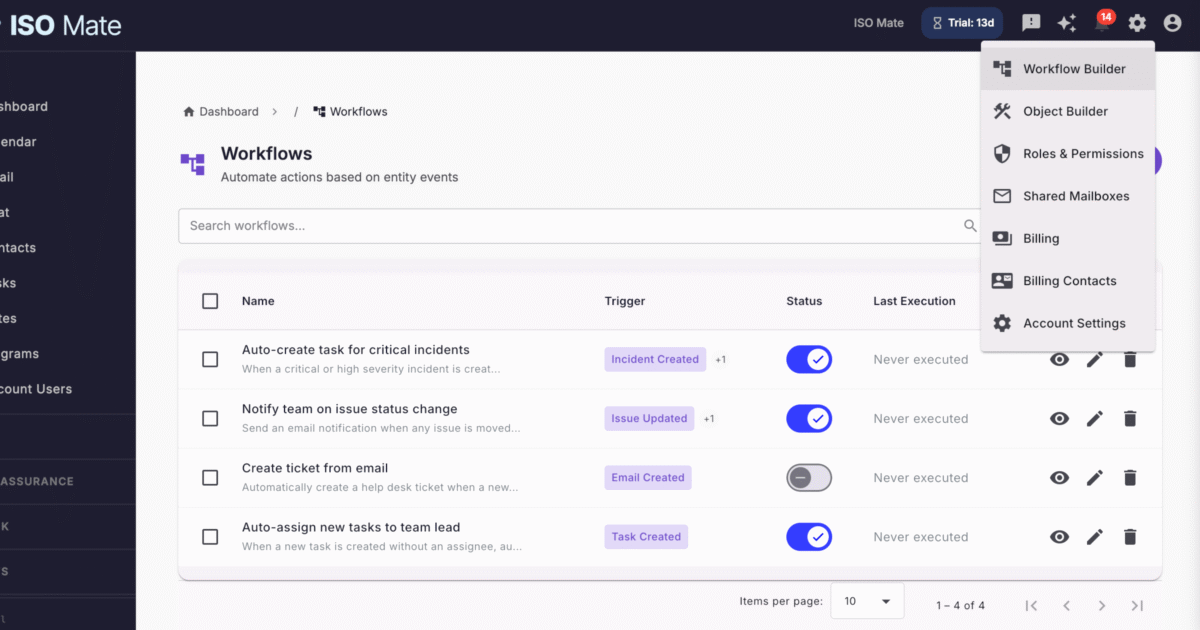
Automate Your Business Processes
ISO Mate’s Workflow Automation lets you create event-driven workflows that automatically execute actions when specific events occur in your system.
Workflow Triggers
Define triggers based on entity events:
- Created: Trigger when a new record is created
- Updated: Trigger when a record is modified
- Deleted: Trigger when a record is removed
Supported Entities
Create workflows for entities across the platform: Tasks, Issues, Incidents, Notes, Test Cases, Test Cycles, Sprints, Releases, Compliance Frameworks, Compliance Requirements, Compliance Controls, Compliance Policies, Compliance Procedures, Custom Object Entries, Emails, and Help Desk Tickets.
Help Desk Integration
Workflows integrate directly with the help desk module. Use incoming emails as triggers to automatically create support tickets, route requests by subject or sender, and respond to ticket lifecycle events. Trigger workflows when tickets are created, updated, or deleted to automate assignment, escalation, and notification flows.
Workflow Actions
Execute actions when workflows are triggered:
- Send Email: Send email notifications to specified recipients
- Create Record: Automatically create related records
- Update Record: Modify field values on records
- Create Help Desk Ticket: Generate a support ticket with subject, description, priority, and category mapped from trigger data
Conditions and Pattern Matching
Add conditions to filter when workflows should execute. Define field value conditions with comparison operators including equals, not equals, contains, in, not in, greater than, and less than.
For text fields, advanced pattern matching operators are available:
- Starts With: Match values that begin with a specified string (case-insensitive)
- Ends With: Match values that end with a specified string (case-insensitive)
- Regex Match: Match values against a regular expression pattern for complex filtering
These operators are especially useful for email-based workflows, such as routing emails by subject line patterns or filtering by sender domain.
Execution Logging
Track every workflow execution with detailed logs showing success or failure, timestamps, and action details.
Enable/Disable Toggle
Activate or deactivate workflows instantly without deleting their configuration. Test workflows before going live, or temporarily pause them during maintenance.