
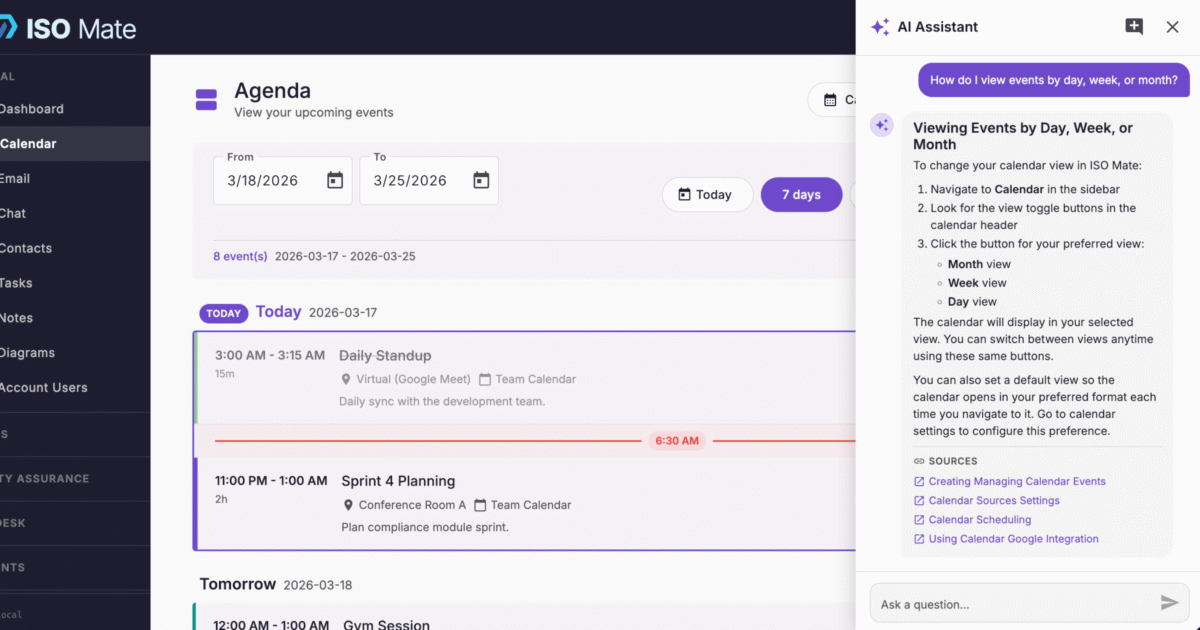
Get unstuck without leaving your workspace. AI Support Chat answers your questions about ISO Mate features and how-to steps in plain language, drawing straight from the platform knowledge base.
The challenge it solves
When you are not sure how a feature works, searching docs in a separate tab or waiting on a support reply breaks your flow. AI Support Chat brings product help into the app, finds the relevant knowledge base content, and gives you a clear, focused answer with links to the full articles, so you can keep working and learn the platform as you go.
What you can do
- Ask about any feature: get concise, context-aware answers about how ISO Mate works, drawn from the platform knowledge base.
- Follow the thread: the chat keeps session history, so follow-up questions build on what you already asked without repeating yourself.
- Jump to the source: every answer includes links to the knowledge base articles behind it, so you can read the full detail when you need it.
- Read in your language: the assistant replies in the language of your console, whether that is English, Spanish, or German.
- Flag missing content: when there is no direct answer, a feedback button appears pre-filled with your question and the response, so gaps get reported in one click.
- Start fresh anytime: open a new chat to reset the context and keep answers focused on your current question.
Popular use cases
- Onboarding new users: let new team members ask how a module works instead of waiting for a walkthrough.
- Quick how-to: confirm the steps for a task like setting up a workflow or exporting a report.
- Feature discovery: find out whether ISO Mate can do something before you go looking for it.
- Self-service support: answer common questions without opening a support ticket.
- Docs gap reporting: surface topics the knowledge base is missing so the documentation keeps improving.
- Multilingual teams: give Spanish and German speakers help in their own language from the same knowledge base.
Works with the rest of ISO Mate
AI Support Chat lives in the same chat panel as the AI Assistant, on the Support tab, while the My Data tab answers questions about your live account data. When the knowledge base has no direct answer, its built-in feedback flows into the Feedback Portal, so reported gaps become input for improving the documentation. It focuses on product help, not your account records, which keeps it distinct from the AI Assistant and Create with AI.