
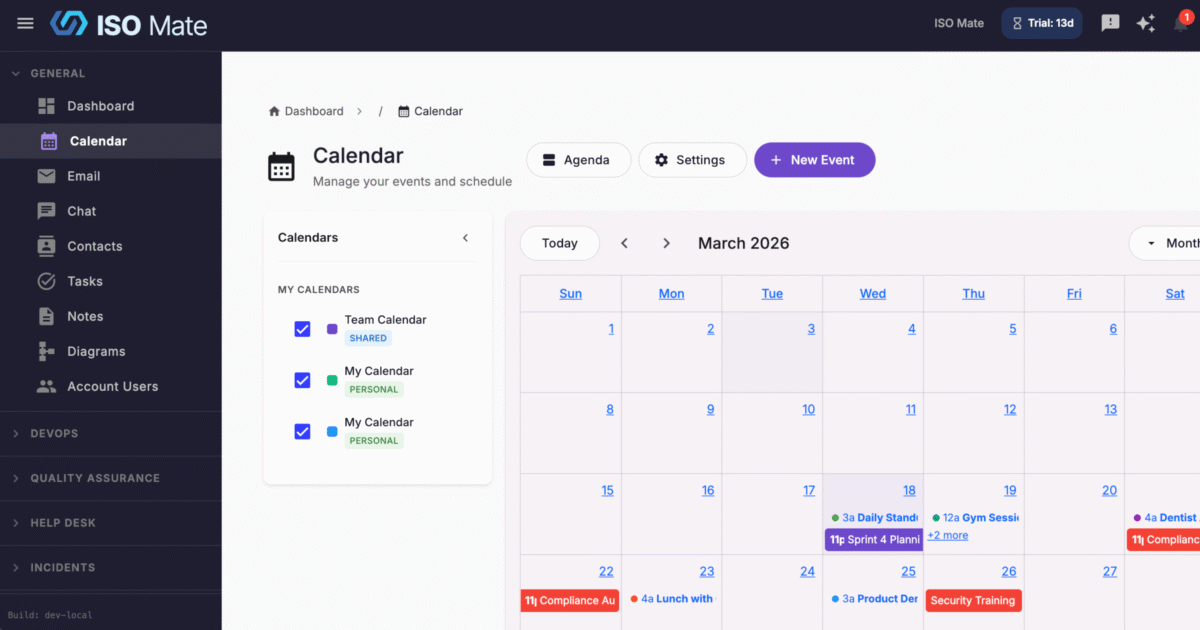
Keep your whole team’s schedule in one place, synced with Google Calendar, so meetings, deadlines, and reminders never fall through the cracks.
The challenge it solves
When schedules live in separate personal calendars and work tools, meetings get double-booked, reminders get missed, and someone is always copying events by hand. Calendar brings personal and team scheduling together and keeps it in sync with Google, so everyone sees the same plan.
What you can do
- See your schedule your way: switch between Month, Week, Day, and Agenda views, and reschedule by dragging events to a new time.
- Create events with full detail: set a title, description, location, start and end times, all-day option, color, and attendees.
- Set it once and let it repeat: recurring events with daily, weekly, monthly, or yearly patterns and custom intervals, and edit a single occurrence without changing the series.
- Never miss what is next: add multiple reminders per event, delivered by email before it starts.
- Separate personal and team calendars: personal sources stay private, while shared sources can be View Only or Collaborative, each with its own color.
- Stay in sync with Google: two-way Google Calendar sync keeps both sides current, and one-click Google Meet adds a join link to any event.
Popular use cases
- Team meetings: keep recurring standups and one-on-ones visible to everyone.
- Project milestones: track key dates and deadlines across projects on a shared calendar.
- Client appointments: schedule calls with a Google Meet link attendees can join in a click.
- Resource planning: coordinate shared bookings and availability across a team or department.
- Compliance cadence: schedule recurring ISO 27001 reviews, audits, and control checks so nothing lapses.
- Sprint ceremonies: plan sprint reviews, retrospectives, and planning sessions on a repeat.
Works with the rest of ISO Mate
Your calendar connects to the rest of the platform. Trigger Workflow Automation when an event is created or updated, or have a workflow create calendar events automatically. Review scheduling activity with dedicated calendar reports in Reporting and Analytics. Create events just by describing them to the AI Assistant, which can also check your calendar when you ask. And receive event reminders and updates through notifications, all within your account’s role-based permissions.
Key benefits at a glance
- One shared schedule: personal and team calendars in a single view.
- Always in sync with Google: two-way sync keeps ISO Mate and Google Calendar current.
- Fewer missed meetings: reminders and notifications keep everyone on time.
- Fully connected: works with workflows, reporting, notifications, and the AI Assistant.