
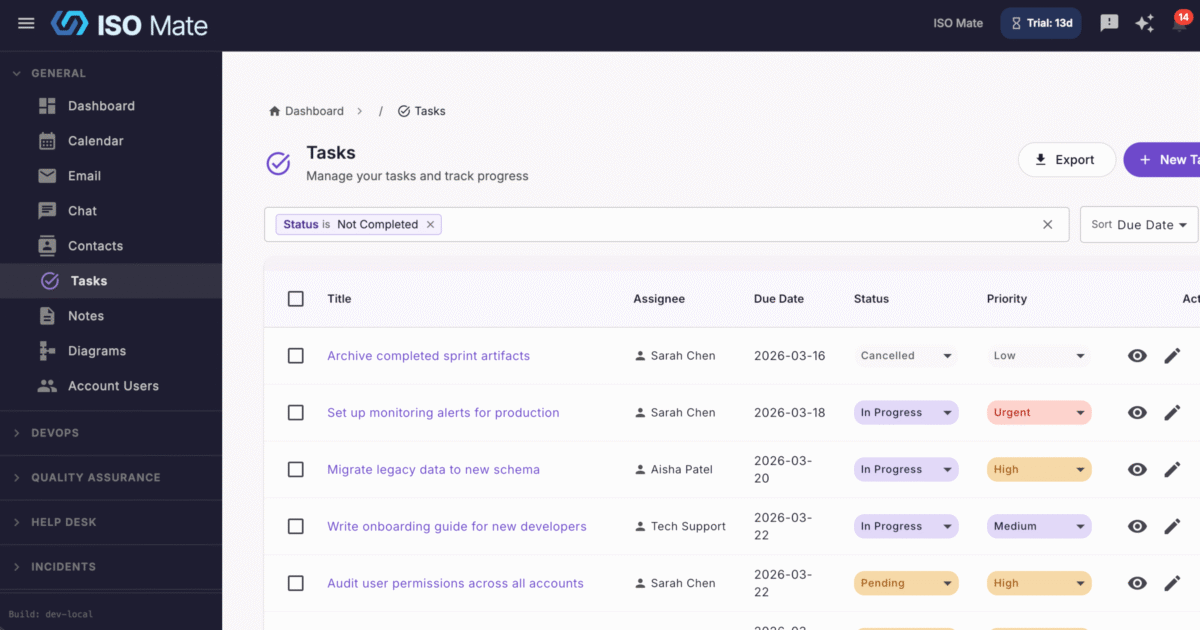
Give individuals and teams one reliable place to capture work, assign owners, and see what is due, so nothing slips through the cracks.
The challenge it solves
Work scattered across sticky notes, spreadsheets, and inboxes is easy to lose and hard to follow. Deadlines slip, ownership gets fuzzy, and the same routine jobs get recreated by hand every week. Task Management pulls it all into one shared, trackable list.
What you can do
- Capture work in seconds: create tasks with a title, description, due date, and assignee so ownership is always clear.
- See progress at a glance: toggle any task complete with a single click and track completion as you go.
- Focus on what matters now: filter your list by assignee, due date, or completion status to cut through the noise.
- Put routine work on autopilot: build recurring task templates with daily, weekly, or monthly patterns, custom intervals, and end dates, and preview the schedule before you save.
- Update many tasks at once: select multiple tasks to change status, reassign, or delete in one bulk action.
- Take your list anywhere: export to CSV or PDF with your current filters applied, so you get exactly the data you need.
Popular use cases
- Team operations: track daily and weekly to-dos across a department in one shared view.
- Employee onboarding: give HR a repeatable checklist for every new hire with recurring templates.
- Client deliverables: assign owners and due dates so agency and services work stays on schedule.
- Finance routines: automate month-end close steps that come back on a fixed cadence.
- ISO 27001 remediation: assign and track corrective actions through to completion.
- Incident follow-ups: turn post-incident action items into owned tasks with clear due dates.
Works with the rest of ISO Mate
Tasks connect to the tools your team already relies on. Trigger Workflow Automation when a task is created, updated, or completed to route approvals and follow-up work. Track throughput and workload with dedicated task reports in Reporting and Analytics. Create tasks just by describing them to the AI Assistant. And keep everyone in the loop with notifications for assignments, status changes, and approaching due dates, all while respecting each person’s role-based permissions.
Key benefits at a glance
- One place for all work: replace scattered lists with a single shared source of truth.
- Never miss a deadline: due dates and notifications keep work moving.
- Less manual repetition: recurring templates handle the work that comes back around.
- Fully connected: works with workflows, reporting, notifications, and the AI Assistant.